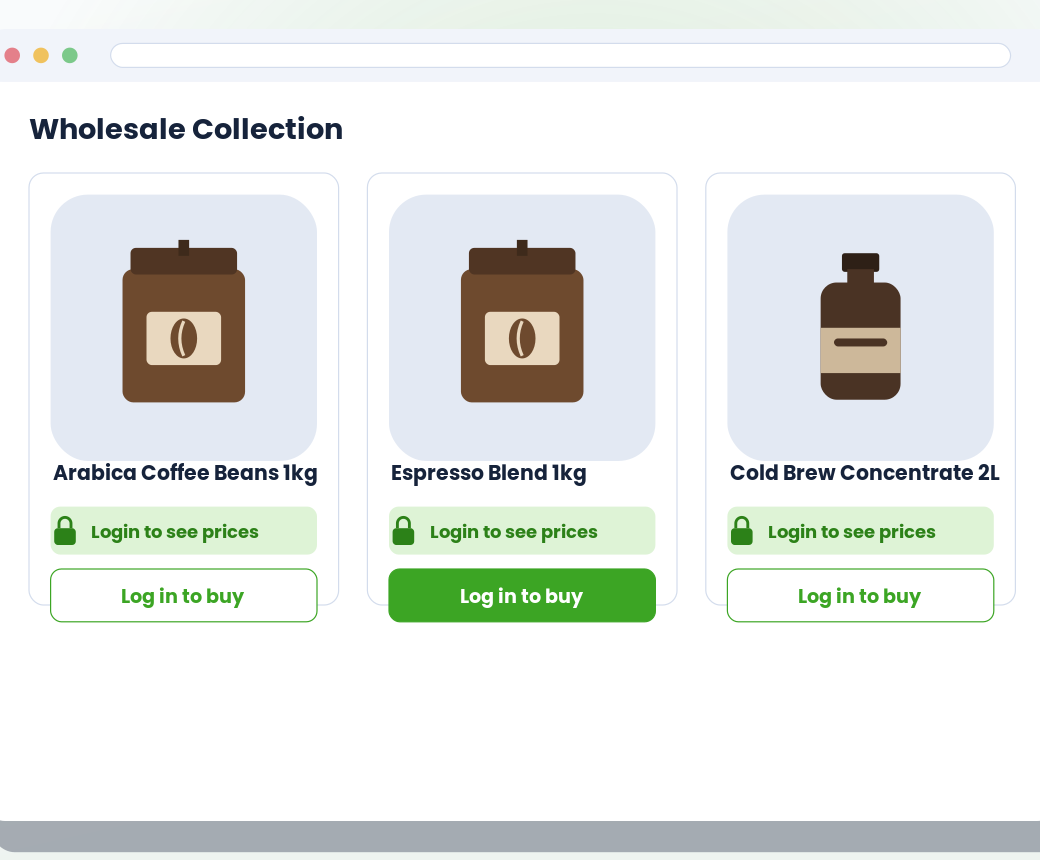
Storefront — what buyers see
Access
· ★ Only on BTB · Advanced · $29 / moTwo hide modes: prices only, or prices + Add-to-Cart. Choose which page types are gated (product, collection, search, home, cart, quick-view). Unlock via customer login or a shared passcode with configurable remember-duration.
What it does
Hide prices, add-to-cart, or the whole storefront from guests
Buyers unlock by signing in or entering a passcode you share
Per-page control — gate only PDPs, only the cart, or the whole store
Works on every Online Store 2.0 theme, no code required
See it working
Storefront on the left. Admin on the right. Same feature, two perspectives.
Storefront — what buyers see
Admin — what you configure
vs. Shopify B2B native
Shopify B2B native
No storefront-side gating. Either your store is public or you switch to Shopify B2B’s separate storefront experience tied to Companies.
BTB
Hide prices, hide cart, or both — per page scope. Unlock by customer login or shared passcode, with configurable remember-duration.
Setup
All configured from the BTB dashboard — no code, no theme edits for the common case.
price_only (hide just prices) or price_and_cart (hide prices + add-to-cart buttons). Then pick per-page scope: PDP, collection, search, home, cart, quick-view — each independently.
Login (visitor signs in to a customer account) or passcode (shared key with optional remember-duration in hours). Login is the default; passcode layers on top for invite-only drops.
Login message ("Login to see prices"), button text and colors, font size, and display style (button or link). Add custom CSS selectors for non-standard themes if needed.
Common use cases
Approved wholesale buyers see prices; the public sees a "Sign in" prompt.
Share a passcode with early buyers before a public drop goes live.
Retail visitors see products; only logged-in wholesale customers see trade prices.
FAQ